What MX73 is About
Years ago I wrote a lot of Project Management Software. Now at the age of nearly 62, I’m at it again, with a system called MX73, that stores all of the data in Excel workbooks and worksheets.
Here’s are some examples of the bar charts that can be created.
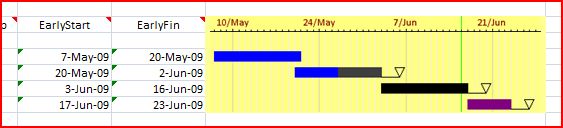
Bar Chart with Float
Note that you have complete control over headings, colours, scales and what data is shown in the bar chart.
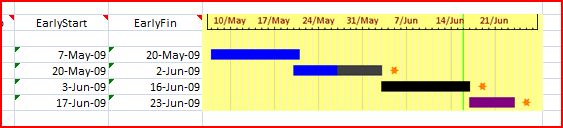
Bar Chart with Star
In this chart one of the many symbols abailable is used to show the float. But suppose you used a star tom show that you had been paid for the work you had carried out.
If you’d like to open the Excel Workbook, you can download it from here.
Note that the file is in Excel 2003 format, so that more people can read it. But don’t use this format for a serious amount of graphics in Excel, as the file tends to grow like “Topsy”. Excel 2007 does not have the problem.
No comments yet.
 The Anonymous Widower
Leave a comment