Visual Basic 6 Programmer For Hire
A couple of times recently, I’ve met people, who have said that my skills in Visual Basic 6 may still be needed, because in the City of London, there are still a lot of important systems written in the language. Hence this post, which is almost an advert to say that I’m looking for work.
At my age and with my hopefully sensible finances, I don’t need a permanent job, but old programmers never give up coding, even if they just do it in their mind. Living alone, I have plenty of time on my hands to spend with my therapist, but sometimes I feel I need to do something constructive. Even if it’s just to prove I still can!
So if anybody is in trouble and needs a good Visual Basic 6 programmer who still has most of his marbles, I’m here just north of the City of London, a short bus ride away.
On the legal side, I have complete sets of discs and manuals, so I would not be working outside of any licences.
A New Toy
This is my new Acer Iconia W-500.
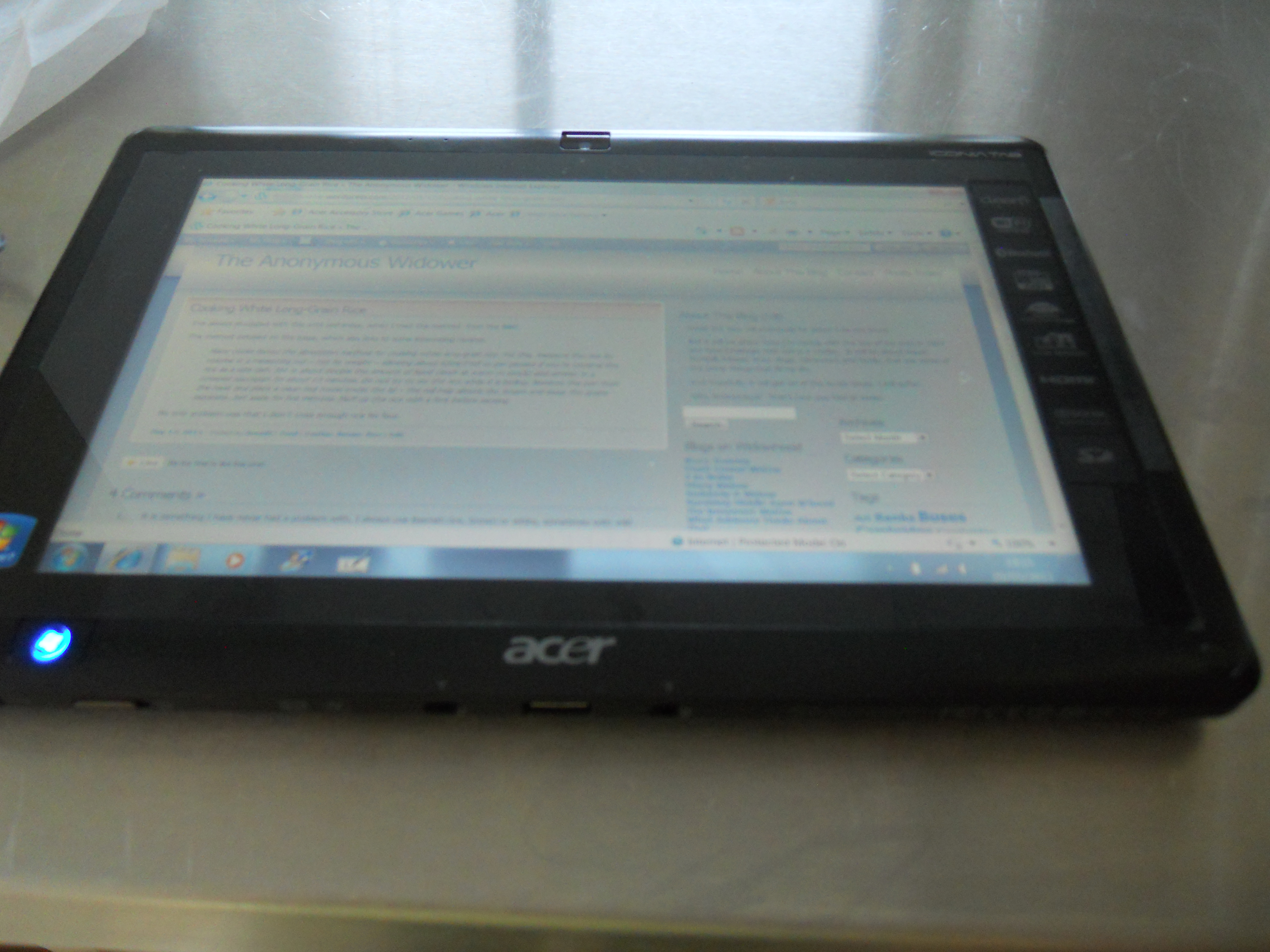
Acer Iconia W-500
It’s a tablet computer that runs Windows. When I get my network sorted, I’ll use it to demonstrate Daisy and also to browse on my travels to access my bank account, Zopa and GMail.
I think I might write some stroke-friendly software for the device. Of course, it will be in Visual Basic 6. You might ask why I don’t want an iPad.
The reason is simple. Real programmers don’t use Apple products and anyway, I’d need to learn a whole new set of progrmming tools. As it is virtually all of the software, I’ve written will run on this machine. I won’t need to buy anything else, except possibly a case to protect it. But it does fit my manbag.
Here’s an old joke.
Q: How do you make an Apple go faster?
A: Drop it from a higher building.
Are There Any Delphi Programmers Out There?
Delphi was and in some peoples’ minds still is a visual programming system. On Wednesday, I bumped into an old friend on Moorgate. We had a coffee and I said that I was still ewriting software in a small way using Visual Basic 6.
He indicated that someone he knows, is looking for someone, who can program in Delphi.
Is this an indication that like good literature, good software systems never die?
Remember, that software is not like hardware in that it rarely has a shelf life. In fact application software usually is retired because you can’t find any hardware to run it on. At least with Windows, Microsoft seem to be providing the hooks into all new versions to run software like Visual Basic 6 and Delphi.
A few years ago, when I said to a senior executive of Microsoft, that I still programmed in Visual Basic 6, he said that Microsoft had lots of experienced programmers who still used the language, often in difficult situations, where something reliable and tricky was needed yesterday.
So perhaps, some programming languages and systems, are a bit like Shakespeare and Dickens. Not of this age, but still very much to be enjoyed.
Long Live Visual Basic
I program in Visual Basic 6, which is a language that Microsoft dropped in 2008 for customers. But not as I understand it for themselves as VB6 still works in all versions of Windows and they’re going to keep it way. A man high-up in the company, told me that if they have serious problem, then often VB6 is the way they solve it, as they have so much expertise there. It’s a bit like the plumber, who uses a hammer for everything! But, hey, as someone said to Dan Dare after fixing his spacecraft, “it’s not very pretty, but it works!”
So in the turnout, I’ve found complete sets of Visual Basic 3 and 4, discs and documentation and already after posting to a forum, I’ve had requests for them. I’ll probably copy the discs to my server, so that if anybody wants the software to fix aegacy problem, they’ll be able to do it.
So just like the High Speed Train, Visual Basic appears to be one of those technologies that refuses to die.
Visual Basic 6 and a Gammy Left Hand
I program in Visual Basic 6 and despite the language being probably ten years old now, it still does what it says on the tin with all versions of Windows and Internet Explorer up to 7 and 8 respectively.
But also because it is such a well defined language and so easy to use, I can effectively run it one-handed, with just a little bit of help from my gammy left hand for Shift and Tab. I do all the other typing with my right. But then the sort of things you need to do with the keyboard in most programs, you can do with the mouse.
Despite my two strokes, I can still do everything I need to do! I’ve even remembered most of the code I’ve written over the years, so at least that part of the brain works, even if the hand doesn’t!
The first new program will be a 2011 version of my Daisy Presentation Browser. This program does three main things :-
- Allows you to set the size of the browser to improve your presentations based on web sites.
- Print clean copies of web pages to a pre-defined size or the maximum available on your printer.
- Copy the web page in the browser to the clipboard for pasting into another program.
My heart goes out to the genius who designed Visual Basic 6 in the first place, without whom I would be seriously suicidal!
The Definitive Stroke-Friendly Keyboard Driver Specification
I have had further thoughts on this and one of my late son’s best friends has sent me an e-mail, describing the programming techniques that need to be employed. Unfortunately, his company don’t have the time to write the driver.
The objective is to write a driver similar to the one that comes with the Microsoft Wireless Comfort Keyboard 5000, which allows certain keystrokes to be disabled. The driver version is 6.0.6002.18005. When you install this driver it gives more details about the files involved.
But the ability to disable keystrokes needs to be extended.
- Microsoft allows you to disable a lot of keys, but I want to disable, such as control, Shift, Windows and Alt.
- In fact, I would like to be able to disable both left and right control and shift keys independently, as I sometimes find it easier to give up on my left hand completely and say do Shift-O, by spanning my right hand.
- I would also like to allow certain pairs of keys, like Control-C and Control-V, as I use them extensively to cut and paste.
- I think the Microsoft driver allows various profile of keystrokes to be setup, so that should be retained, so that if two users use the same machine, their optimum keystroke settings can be used.
There is an alternative approach to this driver, that I am investigating. The Microsoft Driver must store the list of key reassignments in the Registry. If I could find out how they do this, then I could write a Visual Basic 6 program to adjust that instead. That would in some ways be my preferred solution.
After all, there isn’t anything that a good Visual Basic 6 programmer can’t do! Microsoft know this and still use it to get themselves out of big holes. Otherwise, why would they have spent millions of dollars making sure that all Visual Basic 6 programs work on Vista and Windows 7? Not for charity for old farts like me!
I have made a bit of progress in this approach in that I have found where the Registry stores the settings. It is detailed on this web site.
 The Anonymous Widower