The Sharing of Patient Data
David Cameron is getting a lot of criticism about his plans to anonymously share patient data with private companies.
As someone, who has lost two close relatives to difficult cancers and suffered a serious stroke, I can’t see what the problem is about, if the patients personal details are kept confidential.
I was once told by a senior research manager of a big German pharmaceutical company, that only about fifteen percent of medical databases have been analysed to any great extent. He felt that it would take an increasing part of medical research.
My son was part of a major trial being coordinated by a renowned British University. I was invited to see their work and was totally impressed at the care they were taking to make sure the data was correct and properly safeguarded. They were also looking for patterns in the data, as any clue, however small, might be invaluable in the fight against disease.
One thing that has to be said, is that if you are looking at any database for patterns, then that database must be complete, with no errors in the data. I have come across researchers, who when they are trying to prove something in a field like archaeology, first clean the data of anything that doesn’t fit their theories.
That is the biggest problem in research.
Anthony S. Holmes
I have received lots of spam from this guy. All of it was stopped by my ClamWin spam filter and ended up in the Junk Mail folder. But then it was so obviously spam, even a four-year-old could identify it as such.
There was a link to the BBC’s web page. It is from 2006 and talks about a Treasury plan to raid dormant bank accounts, which seems to have died with Gordon Brown’s government.
This was the main part of the message.
Good afternoon to you,
I am sorry for bothering you this early day, but bear it mind that you can never regret this day as I have an interesting profitable business offer for you to participate and share money with me.
Please read more on the under stated link
The English isn’t good too. I like the bit about good afternoon and then apologising for being early in the day.
This man won’t get very far in his career as a spammer. I can’t even work out how they get your money.
Clearing Spam Out of My Blog
Every morning I clear out the spam from this blog. As none of it gets through the spam filter used by WordPress, I do wonder why they bother.
I suspect it must be automatic. But even if it is is, surely programmers have better things to do than create spam. One today, judging by the e-mail address was probably racist, so that in itself says a lot.
But as none gets through, it is a very pointless exercise. It doesn’t even annoy me much, as it takes just two clicks to consign it all to cyber-oblivion.
I suspect my act of deleting them too, is noted by WordPress, who add the sender to their banned list. I won’t say the spammers can’t win, but their chances are getting slimmer by the day. Which is all very good!
Where Is This Spammer?
This was the start of a spam e-mail, I received.
We wish to inform you that the diplomatic agent conveying the consignment box valued the sum of $2.5 Million United States Dollars misplaced your address and he is currently stranded at JFK QUEEN AIRPORT NEW YORK USA now. We required you reconfirm the following information below so that he can deliver your consignment box to you today Because his flight ticket is about to expire.
If you fall for this one, you deserve to be fleeced. Especially as it finishes with.
NOTE : The Diplomatic agent does not know that the content of the consignment box is $2.5 Millions United States Dollars and on no circumstances should you let him know the content. The consignments was moved from here as family treasures, so never allow him to open the box.and the package was registered here by Collins Emma since three moths ago and travel out of this country.
Obviously, as it mentions moths, it is a rather old message. His punctuation isn’t that good either.
Analogue Computing at the Science Museum
There were reports in the papers this week about James Lovell selling the checklist that he used to correctly setup the lunar module to get them back home.
What is always missed out in these discussions, is that all of the calculations for the Apollo moon landings were done on a simulator, built using two PACE 231R analgue computers linked together.
At the Science Museum, they did have Lord Kelvin’s differential analyser, but although it was impressive, with lots of impressive engineering and brass gears, there was little to indicate, what this type of machine grew into by the 1960s. Without analogue computers to solve the complicated dynamics of the moon landings, the Americans wouldn’t have been able to get there when they did. Digital computing didn’t have the capability to match a PACE 231R to solve the simultaneous differential equations involved until the mid 1970s.
I was lucky enough to work with a PACE 231R and there are pictures of the one I used here.
There doesn’t appear to be a working PACE 231R anywhere in the world. But to get one to work would be a lot easier than say to get an early digital machine working. An analogue computer is basically a peg board that links a series of amplifiers together. Now I know that these amplifiers are thermionic valve and not transistor, but a typical machine would have a hundred or so of them. And as they use something very akin to 1960s audio technology, finding someone to fix them would not be difficult. Our machine at ICI Plastics in Welwyn Garden City, was carefully looked after by one Eddie Kniter, a Pole, who walked his way to Switzerland to escape the Nazis.
I wonder if the Science Museum has one of these machines in its reserve collection. Getting it working, would really show kids how differential equations are useful in real life.
Returning to Apollo, I remember that the magazine, Simulation, published by Simulation Councils Inc., had a detailed description in one issue of all the simulators and simulations done in connection with the project.
I’d love to get hold of a copy.
Clearing Out The Spam
Every morning, I spend a minute or so emptying the spam from this blog. Today it was all about acne. I’m sure that this complaint doesn’t bother, the people who read my posts.
It looks like from the pattern, that it has been added manually. So as I delete it all, it must be the world’s most unrewarding job. And probably worst paid too!
I should say, though that the spam filter in WordPress finds it all and quarantines it. So emptying it, is just two clicks and it doesn’t really matter, if I don’t do it that often.
WordPress Has Gone Bonkers
What have WordPress done with their new version?
Two days ago, everything was working fine. In the last couple of years since the death of my wife and son, I have put nearly 4,000 posts into this blog. I have uploaded 3,500 images and a few videos and I have had virtually no issues at all.
Nearly, all of these posts have been on the same Compaq 6720s running Vista and Internet Explorer 8, that I have used since I bought it about four years ago. The few that weren’t posted in that way, have been posted in various Internet cafes on my travels.
As to the computer, it is a totally normal machine, with little added software, except mainly stuff that I’ve written myself.
So what has gone wrong?
Creating a Post
To create a post, I can get the Add New Post fine enough, but unless I switch from Visual mode to HTML mode and back again, I can’t type in anything meaningful.
Jumbled Tool Bars
The tool bars at the top of the window where I’m typing this, have got totally jumbled. The order at the moment is bold, ordered list, centre, italic, blockquote, spell check and so on. I said at the moment, as if you move the cursor over them, they all change. I did a video of it here. I would put a link on the word here, but I have no working link icon!
Editing Posts
I always edit in Visual mode, as I like to see what I’m getting. But to get that, I need to switch from Visual mode to HTML mode and back again.
Uploading Images
I can upload images to the media library, but that is all. I can’t put them into posts though, as after clicking insert Post, I just get a window showing Add Image with a X close button. If I close it to continue, the image disappears, although it is still in the Media Library.
If I use my Windows Iconia tablet computer running IE8, I can move the picture from the Media Library to the post, but that computer is only a toy with a small screen. I’ve also had a stroke and my hands aren’t good and find operating it difficult.
Inserting Links
I can’t do this in Visual mode, but I can in HTML mode. but as I said I prefer to work in Visual mode.
So what have I done to try to clear the problems.
I have put a few posts in the forums, and I have done some of what has been suggested like clear the cache and cookies. Others have been arrogant enough to suggest that I change browser. But then I can’t do that as I’ve written software that uses IE and I won’t be able to demonstrate that anymore.
I should say that no other software or web site is causing me any grief, but it does strike me that I might have caught some weird virus, athough scans run clear.
It’s all very puzzling.
I’ve just added this on another machine.
WordPress Going Bonkers
Look at this video of trying to edit a post on WordPress.
Every time, I move the cursor from icon to icon, the icon changes.
Is that a feature or a benefit?
If It Ain’t Broke Don’t Fix It!
I have used WordPress for many years and their latest upgrade is so full of bugs, you could show it in the insect house at the London Zoo.
It has meant that I can’t upload any pictures to the blog and creating a new post is a real study of perseverance.
If you edit a post, the post or the toolbars don’t appear unless you switch to HTML mode and then back to Visual. These toolbars can’t seem to get their icons right and if you move the cursor over them, the function changes.
Links can’t be setup in Visual mode, but you can do them in HTML mode.
When they coined the name software, it could have been made for this version of WordPress. It’s not just soft, but very very soft!
It’s all total crap to what it was.
My Local Bus Stop
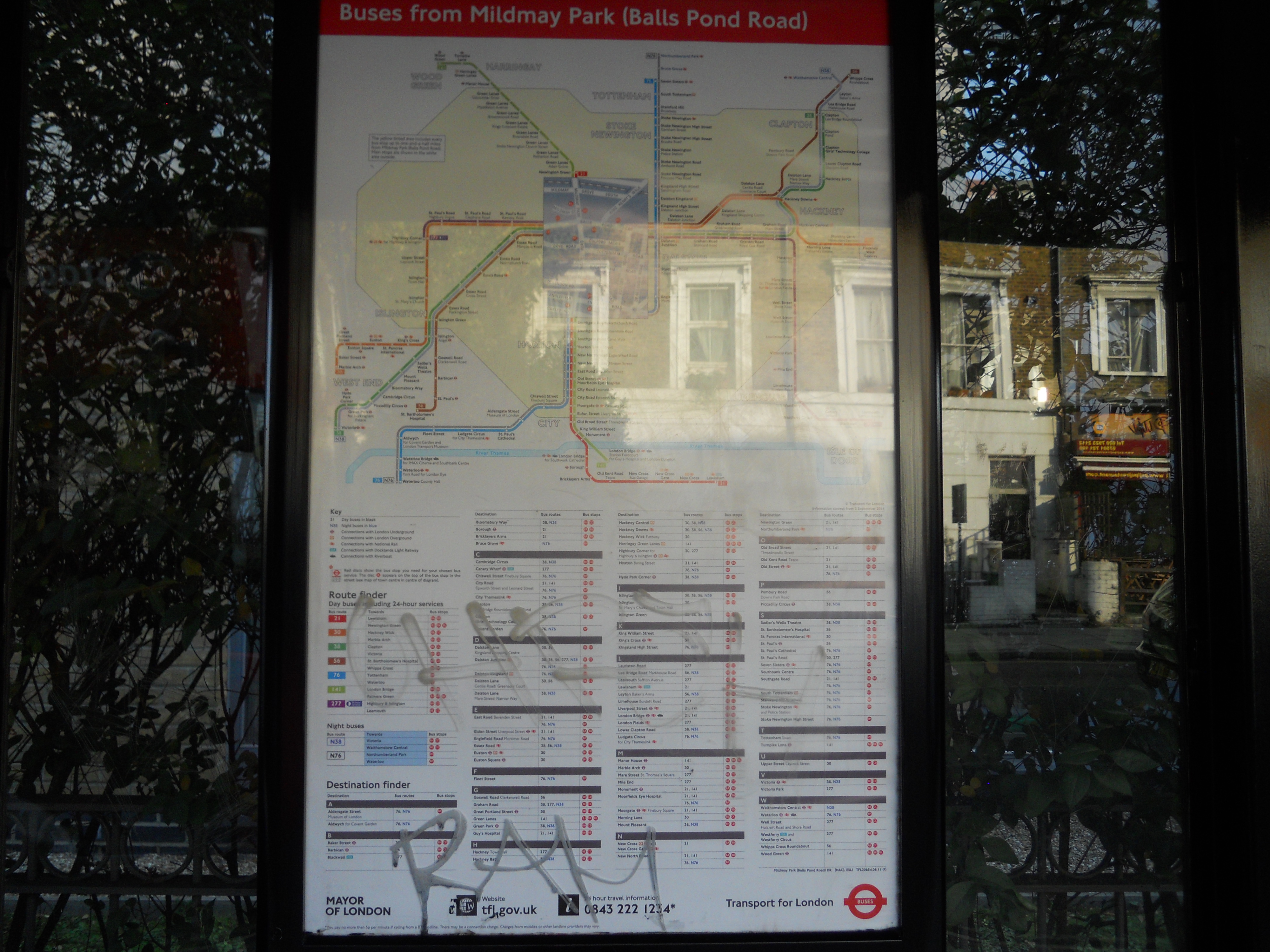
My local stop is just around the corner and has buses that go everywhere, as this picture shows.
Mildmay Park (Balls Pond Road) Spider Map
Note that the actual spider maps, like this one have more information than their equivalent on the web.
The stop also has a Next Bus Information Number.
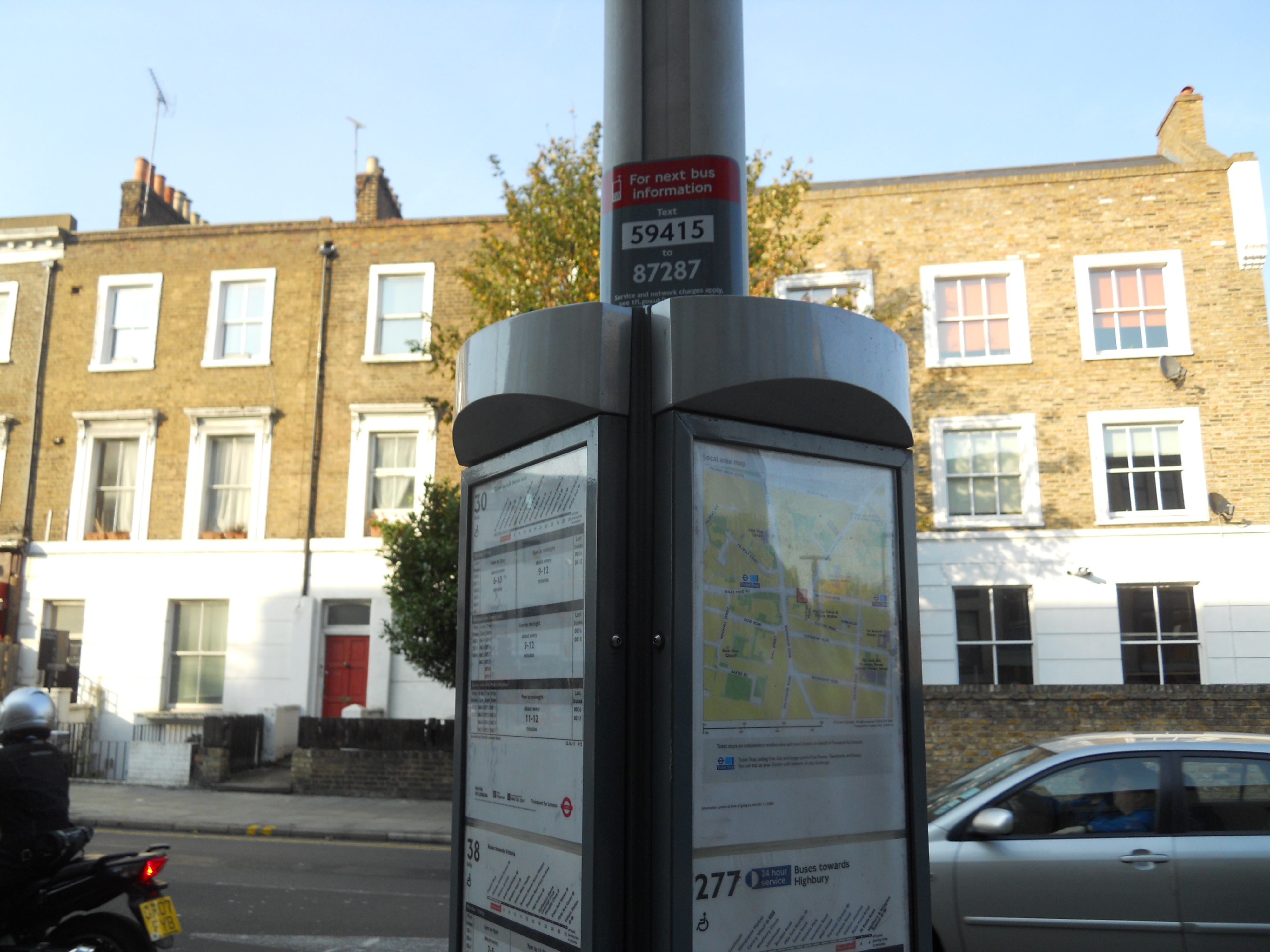
Next Bus Information Number
Note in the picture, the local street map.
The stop also has a Next Bus Display.
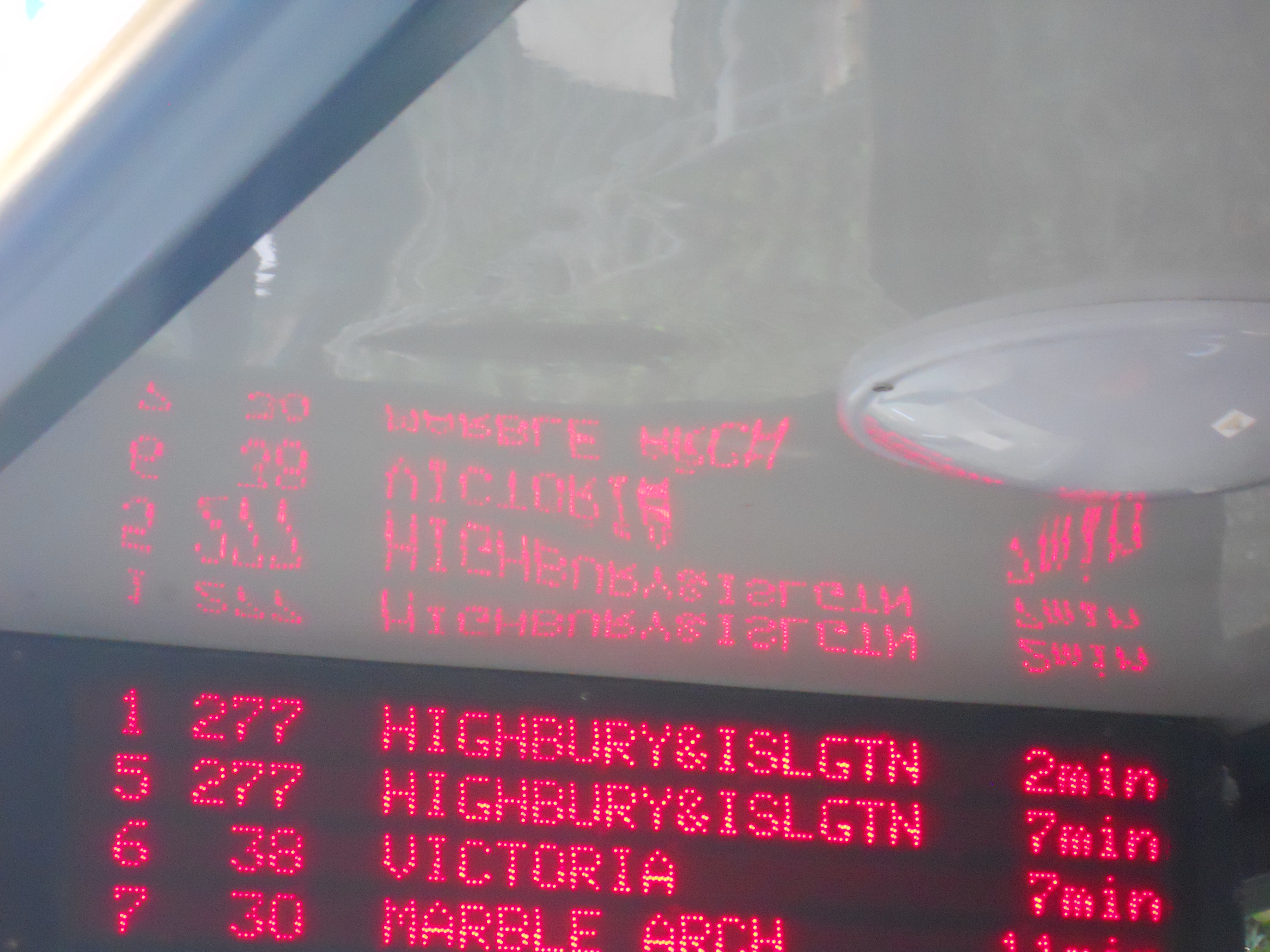
Next Bus Display
I wonder how long we’ll keep it though, as for many people the text message system will be better.
It is too much to expect all stops to be to this standard, but all important ones should have all the information, travellers might need.
I’m using the system in several ways now.
- I often check before I leave home when the next bus is due, to avoid waiting in the cold, say when I have an early train out of Kings Cross.
- If I’m expecting a visitor, I often ask them to text from say The Angel and then I can be at the appropriate stop to meet them.
- If a suitable bus doesn’t appear imminent, then I might change plan and say walk to Daldston Junction.
The only prediction is that these systems will get better and better. You might for instance text the number with say Euston attached to find the quickest way to get to that station. And I still haven’t brought up the subject of a smart phone. But then who needs one, for this purpose, if you have a smart text messaging system.
Suppose to find your way home in London, all you needed to do was text the stop code like 59415, followed by your post code to 87287. You would then be sent instructions on which bus to catch and where to change to get home.
As children, my friends and myself would wander all over London on Red Rovers. Children probably don’t do that now! But it was great fun. Being able to text to get you to your home, could make it safer.
 The Anonymous Widower